25. October 2026
backstage-catalog-graph v2026.10.24: the first public release, with a graph you can navigate
A Backstage descriptor almost never declares everything it names. The owning group lives in the org catalog, the system in another repository. A tool that drops those references draws a tidier picture, and a dishonest one.
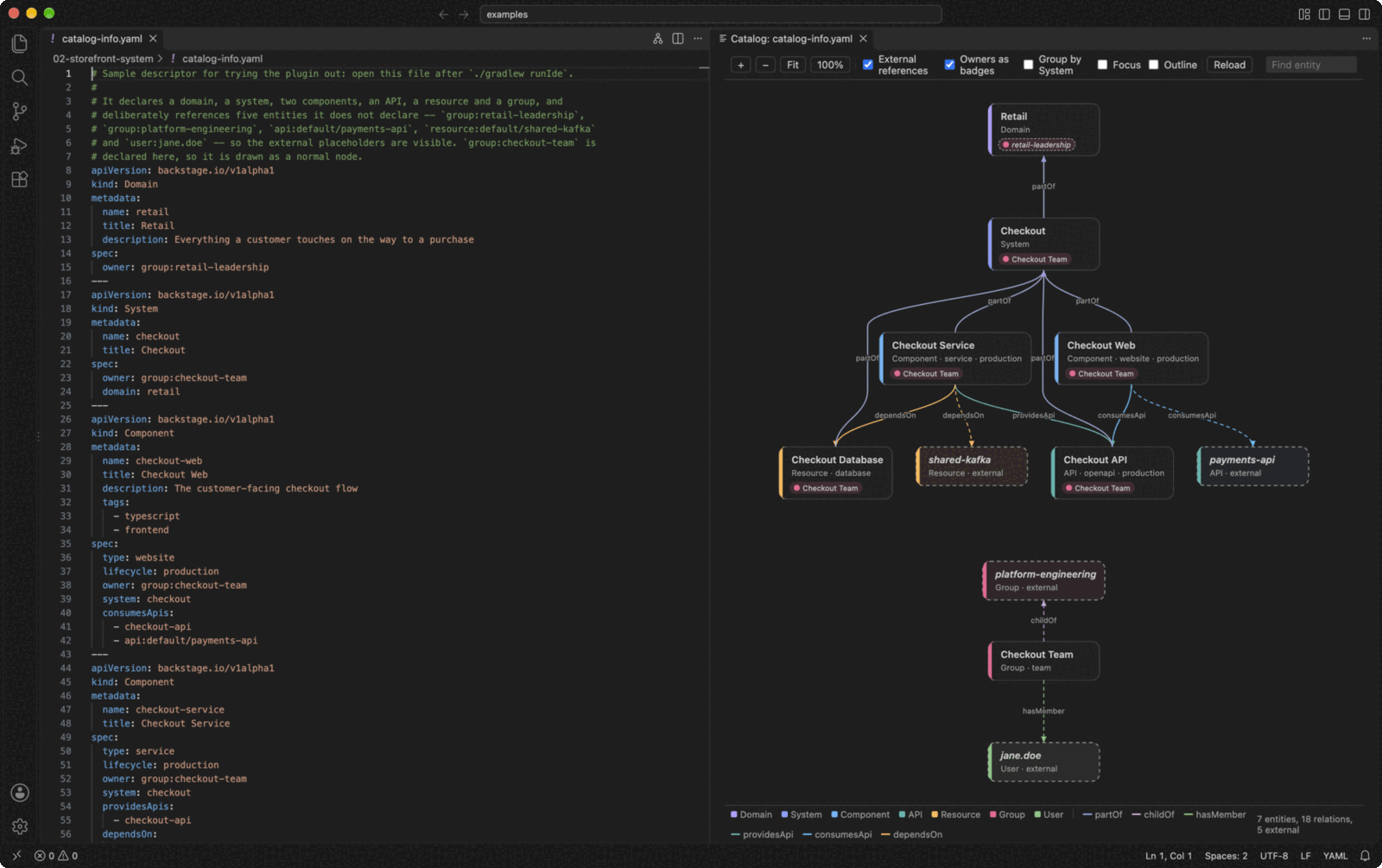
backstage-catalog-graph is a pair of editor plugins, one for VS Code and one for JetBrains IDEs, that draw a Backstage catalog-info.yaml as the graph it describes. Entities are nodes and spec references are labelled edges. Every reference that leaves the file is drawn as a dashed placeholder, so the graph shows what the file defines and also what it assumes exists elsewhere. It’s for anyone who writes or reviews Backstage descriptors and wants to see them without running Backstage. It never touches the network and never edits your YAML.
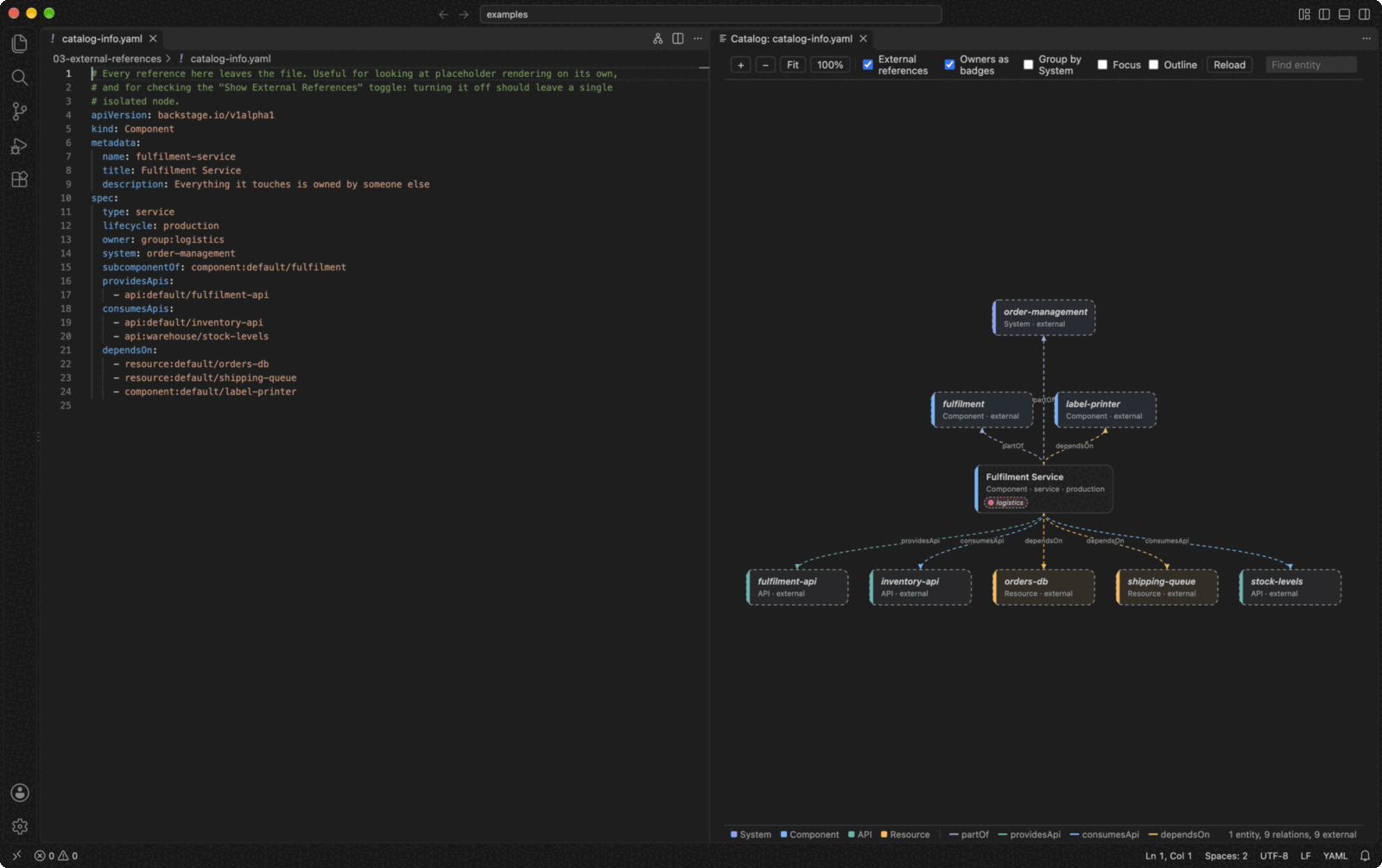
v2026.10.24 is the first public release. The repository has 46 commits, the first dated 4 September 2026, and none of the earlier versions (2026.9.4, 2026.10.18) were ever released. So this release carries everything since the start. Most of the user-visible work landed on 18 October. The 24 October release itself is documentation, a dependency upgrade and distribution.
Reading a bigger catalog
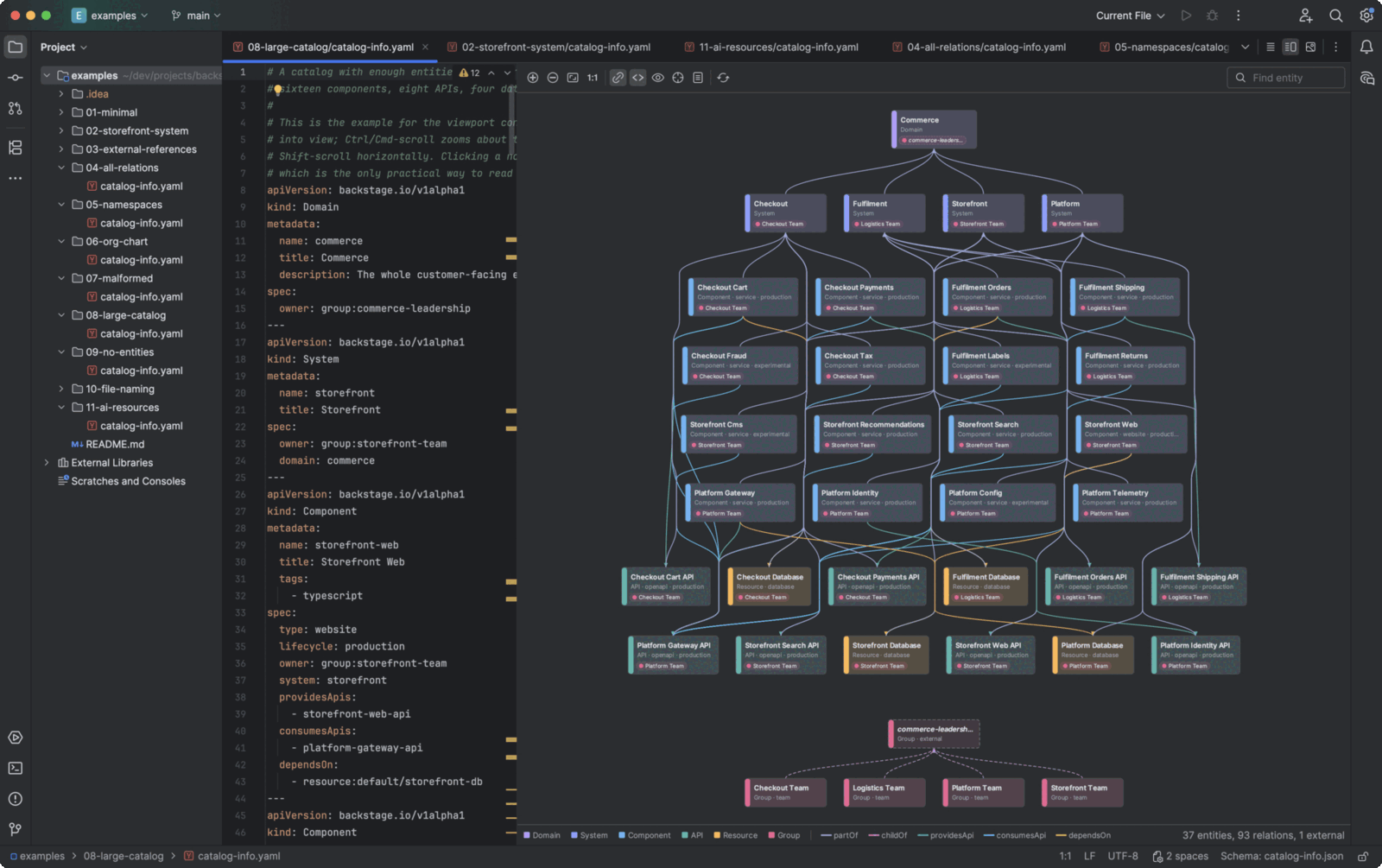
The first version drew every relation as an edge and every entity in a layer by kind. That’s fine for one component and gets noisy at 37 entities, which is the size of the large example in the repo. Several changes address that.
- Owners are badges. Each entity’s owner is now a pill on the entity, not an
ownedByedge running down to the Group layer. A placeholder that existed only as an owner isn’t drawn. It’s on by default. - Edges are coloured by relation, with inverse pairs sharing a colour and a legend listing the relations drawn.
- Hierarchies are drawn as rows. Groups with a
parent, or subcomponents, sit with parents above children, so those edges run vertically. Edges route through the gaps in the rows they cross instead of over the nodes, and rows wider than about 1200px wrap. - Group by System draws each System as a box around the entities that are part of it.
- Fit to Window can zoom out to 10%, and a file opens fitted to the pane.
Moving between the graph and the YAML
This is the part I use most. Moving the caret in the YAML selects the entity under it, and clicking a node selects the YAML that defines it. Find (Ctrl/Cmd+F) selects and reveals entities by title or reference. Focus on Selection draws only the selected entity and what it’s joined to, following the selection as it moves. The Outline shows the catalog as a tree of kind, entity and relations. The arrow keys move between nodes, Enter jumps to the YAML, and Escape deselects. The warning in the corner is now clickable and lists every problem, each one jumping to its line.
Catching up with Backstage
The plugin now understands AiResource, Backstage’s alpha kind for AI-tool skills, rules, plugins and marketplaces (Backstage 1.51+). It’s drawn in the API/Resource layer in its own colour, and a plugin’s skills or a marketplace’s plugins draw a new hasPart relation. Domain.spec.subdomainOf now draws partOf into the parent domain.
One change is a contract change, so read it before upgrading. dependsOn and dependencyOf on anything other than an AiResource no longer assume Component. As in Backstage, a reference there has to name its kind. A bare name is reported as a problem and draws no edge. If a descriptor of yours leaned on the old default, it will show up in the problems list.
Faster, and fewer wrong answers
Large files are quicker. A focus move lays out only the focused neighbourhood, text truncation bisects instead of trimming a character at a time, fonts and text widths are cached, and the JetBrains plugin reads the YAML in a background read action instead of on the UI thread. I haven’t measured any of this, so I won’t put a number on it. [unverified: speed-up size; the changelog gives no benchmark]
The fixes are the kind you only find by using it. In VS Code, clicking a node did nothing, because the pan handler captured the pointer and the click cleared the selection. In JetBrains the graph painted outside its pane over the project panel, and the legend never showed. Layer ordering could differ between the two editors, which matters because both are meant to lay a file out identically. That’s pinned now by a new conformance case. Editing the selected entity’s relations left the highlight stale, and caret sync could select the wrong entity while typing.
Two implementations, one contract
The editors share no code at runtime. Each implements the core of about 500 lines in its own language, Kotlin for JetBrains and TypeScript for VS Code. What they share is a conformance/ corpus: descriptors with a golden document for each, run by both in their own CI. A disagreement about what a descriptor means fails a test. I’ve dropped plans for more editors, so those two are it.
Housekeeping for the release: TypeScript 7, vsce 4, Kotlin 2.4.21 and Gradle 9.8.1 (a breaking dependency upgrade), CI actions pinned to commit SHAs with read-only tokens, and a root Makefile for local builds. make lists the targets.
Install or upgrade
Neither plugin is on a marketplace. Download the package for your editor from the latest release.
- VS Code:
code --install-extension backstage-catalog-graph-<version>.vsix, or Extensions → ⋯ → Install from VSIX…. Cursor, Windsurf and VSCodium take the same file; substitutecursor,windsurforcodiumforcode. - JetBrains: Settings → Plugins → ⚙ → Install Plugin from Disk…, and choose the
.zipitself without unpacking it. It needs a 2025.2 or newer IDE.
Packages installed this way don’t update themselves, so to upgrade, install the newer release over the old one. Then open any catalog-info.yaml. In VS Code, click Show Catalog Graph to the Side in the editor title bar. In a JetBrains IDE the file opens with a Text / Backstage Catalog split.
Each release carries a SHA256SUMS file and a signed build-provenance attestation:
sha256sum --check --ignore-missing SHA256SUMS
gh attestation verify backstage-catalog-graph-<version>.vsix --repo grahambrooks/backstage-catalog-graph
Source and issues are at github.com/grahambrooks/backstage-catalog-graph.